
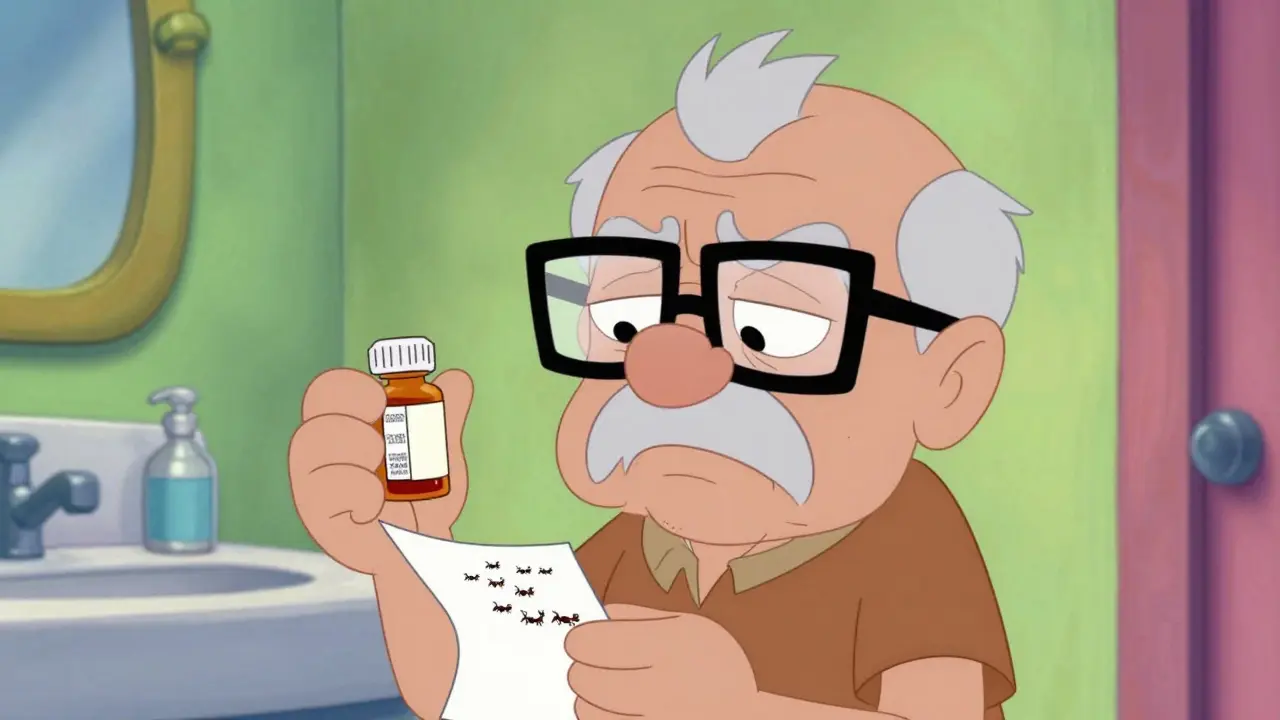
Imagine standing in your bathroom, holding a small plastic bottle of medication. You need to know the dose, but the text on the label is so tiny it looks like ants marching across white paper. For millions of people with low vision, this isn't just an inconvenience-it's a dangerous daily reality. Taking the wrong pill, at the wrong time, or in the wrong amount can lead to hospital visits or worse.
The good news? You don't have to struggle anymore. Thanks to federal mandates and technological advances, accessible prescription labels are now widely available. Whether you need larger text, audio instructions, or tactile Braille, pharmacies have solutions that put safety back in your hands. This guide breaks down exactly what options exist, how to get them, and why they matter for your health.
Why Standard Labels Fail People with Low Vision
Standard prescription labels are designed for average eyesight, not for everyone. The American Foundation for the Blind (AFB) notes that visually impaired individuals "all too often take the wrong medication, the wrong amount, at the wrong time." This happens because standard fonts are often too small, contrast is poor, and layout is cluttered.
Research from the National Center for Biotechnology Information shows that most participants with moderate visual impairment could not read fonts smaller than 14 points. Yet, many pharmacy labels use 8-point or even smaller text to fit all required legal disclaimers. This creates a gap where patients rely on memory or guesswork, increasing the risk of errors significantly.
For older adults, who make up a large portion of those with vision loss, this problem is compounded by age-related macular degeneration or cataracts. The result is anxiety every time they reach for their medicine cabinet. Accessible labeling removes that fear by making information clear and immediate.
Legal Rights: What the Law Says About Your Labels
You might be surprised to learn that you have a legal right to accessible medication information. The FDA Safety and Innovation Act, enacted in 2012, formally mandated accessibility requirements for prescription drug container labels. This law established the foundation for the changes we see today.
Furthermore, the Department of Justice clarified in 2022 that failing to provide accessible prescription labels violates Title III of the Americans with Disabilities Act. This means pharmacies are legally obligated to offer these services. In 2022 alone, there were 17 formal complaints and settlements totaling $450,000 related to inaccessible labeling practices.
If your pharmacy refuses to help you access your medication information, they may be breaking the law. Knowing this empowers you to ask for what you need without hesitation. Major chains like CVS, Walgreens, and Walmart have largely complied, with over 90% of locations offering at least one accessible option.
Types of Accessible Labels Available Today
Not all accessible labels look the same. Different needs require different solutions. Here are the main types you can request:
- Large Print Labels: These use fonts ranging from 18 to 24 points. The AFB recommends a minimum of 18-point font. They typically use sans-serif fonts like Arial or Verdana for better readability. Since standard bottles don't have enough space for all info in large print, pharmacies often use a "duplicate label" system-a separate sticker or sheet that matches the bottle.
- Audible Labels (ScripTalk): Systems like ScripTalk use radio frequency identification (RFID) technology. When you place the bottle near a reader device, it speaks the medication name, dosage, and instructions aloud. This is ideal for those who are blind or have severe vision loss.
- QR Code Audio Labels: Some systems, like UK HealthCare’s ScriptView, place a QR code on the label. Scanning it with a smartphone links to audio files containing your prescription details. This requires a smartphone but offers flexibility.
- Braille Labels: Tactile labels raised in Braille allow blind users to read independently. However, only about 10% of visually impaired individuals read Braille, so this serves a smaller niche.
Each option has pros and cons. Large print is instant and requires no tech. Audible labels provide comprehensive detail but need a reader device. Choosing the right one depends on your specific vision level and comfort with technology.
Technical Specs: What Makes a Label Readable?
If you're asking for large print, knowing the technical standards helps you ensure you get a usable product. The Access Board Working Group specifies key criteria:
- Font Size: Minimum 18 points. Larger is better if space allows.
- Font Type: Sans-serif fonts like Arial, Verdana, or APHont (developed by the American Printing House for the Blind). Avoid decorative or serif fonts which blur together.
- Contrast: High contrast is non-negotiable. Saturated black text on a white background works best. Yellow highlighting can emphasize critical warnings.
- Layout: Left-justified text with consistent spacing. Uppercase numbers in instructions help distinguish doses from other text.
- Material: Non-glare, durable media prevents light reflection that can wash out text.
Studies show that adhering to these specs improves reading speed by 3 to 8 seconds for visually impaired users. That might sound small, but when you're managing multiple medications daily, those seconds add up to confidence and accuracy.
How to Get Accessible Labels at Your Pharmacy
Getting these labels is easier than you think, but you usually have to ask. Pharmacists aren't always proactive unless they know your needs. Here is the step-by-step process:
Step 1: Identify Your Needs. Before your next refill, decide what format works for you. Do you need large print? Audio? Both? If you're unsure, ask your optometrist or low vision specialist for a recommendation.
Step 2: Ask Your Pharmacist. Next time you pick up a prescription, say clearly: "I have low vision and need an accessible label." Specify if you want large print, Braille, or ScripTalk. Most major chains have this built into their software.
Step 3: Verify the Output. Check the label before leaving. Is the font big enough? Can you hear the audio clearly? If not, ask them to adjust it immediately. It’s part of their service obligation.
Step 4: Update Your Profile. Ensure your pharmacy profile notes your preference. This way, future refills automatically come with the correct label format without you having to repeat yourself.
If your local independent pharmacy struggles, consider switching to a chain that has invested in accessibility tools. CVS, for example, announced a $15 million investment in 2023 to expand ScripTalk to all its US locations.
Comparison of Accessible Label Options
| Label Type | Best For | Pros | Cons | Tech Required |
|---|---|---|---|---|
| Large Print | Mild to Moderate Low Vision | Instant, no extra devices needed | Space constraints on bottle | None |
| ScripTalk (Audio) | Blind or Severe Low Vision | Comprehensive audio details | Requires reader device | RFID Reader ($150 approx.) |
| QR Code Audio | Smartphone Users | Flexible, updates easily | Requires smartphone & data | Smartphone |
| Braille | Blind Readers | Tactile, private | Limited audience (10%) | Specialized Printer |
Real Impact: Safety and Independence
The benefits go beyond convenience. They are about safety and dignity. A survey by the American Council of the Blind found that 82% of visually impaired users reported improved medication adherence after switching to accessible labels. Meanwhile, 67% admitted to previous medication errors due to inaccessible labeling.
User stories highlight this transformation. On Reddit’s r/Blind community, a user shared that since switching to 18-point Arial labels, they stopped taking the wrong pills twice a week-calling it "literally life-changing." Similarly, a case study from UK HealthCare documented a diabetic patient who reduced hypoglycemic episodes by 75% after using large print labels with QR audio support.
Dr. David B. Gray of the Spectrios Institute calls these labels a "lifeline to independence." When you can manage your own health without relying on others to read your bottles, you regain control over your daily life.
Challenges and What to Watch For
Despite progress, challenges remain. Independent pharmacies often lag behind chains due to cost. The National Community Pharmacists Association estimated initial setup costs of $500-$2,000 per location. This can lead to inconsistent service quality.
Another issue is staff awareness. A review analysis showed that 37% of negative feedback cited pharmacists who didn't know about accessible labels. Always advocate for yourself. If a pharmacist says "we don't do that," politely remind them of the FDA mandate and ADA requirements.
Also, be aware that electronic prescriptions and patient portals are the next frontier. The FDA’s 2023 draft guidance proposes expanding accessibility to digital platforms by 2026. Keep an eye on your pharmacy’s app to ensure it’s also readable or screen-reader compatible.
Are large print prescription labels free?
Yes, in most cases. Major pharmacy chains like CVS, Walgreens, and Walmart offer large print and audible labels as part of their standard service. While some independent pharmacies might charge a nominal fee for special printing, many absorb the cost to comply with accessibility laws. Always ask if there is a charge before agreeing to any fees.
What font size is considered large print for medication?
The American Foundation for the Blind recommends a minimum font size of 18 points for large print labels. Some users with more severe vision loss may benefit from 22 or 24-point fonts. The key is using a sans-serif font like Arial or Verdana to ensure clarity.
How does ScripTalk work?
ScripTalk uses RFID (Radio Frequency Identification) technology. Each prescription bottle has a unique tag. When you place the bottle near a dedicated reader device, the device scans the tag and plays an audio recording of your medication name, dosage, and instructions. It’s designed for users who cannot read printed text at all.
Can I get Braille labels at any pharmacy?
Not every pharmacy has Braille printers. While large print is common, Braille requires specialized equipment. Major chains are more likely to have this capability or partner with services that provide it. If your local pharmacy doesn’t offer it, ask if they can transfer your prescription to a location that does.
Is my pharmacy required by law to provide accessible labels?
Yes. Under the FDA Safety and Innovation Act and the Americans with Disabilities Act (ADA), pharmacies must provide effective communication, which includes accessible medication labels. Failure to do so can result in legal action. You have the right to request these accommodations without penalty.
What should I do if my pharmacy refuses to give me large print labels?
First, politely remind the pharmacist of their legal obligations under the ADA. If they still refuse, speak to the store manager. You can also file a complaint with the state board of pharmacy or the Department of Justice. Consider switching to a pharmacy that prioritizes accessibility to avoid ongoing stress.
Do accessible labels improve medication adherence?
Significantly. Studies show that accessible labels reduce medication errors and improve adherence rates by up to 82% among visually impaired users. By making instructions clear, patients are less likely to miss doses or take incorrect amounts, leading to better health outcomes.
Taking control of your medication safety starts with clear information. Don't settle for guessing. Ask for the label format that works for you-whether it's large print, audio, or Braille. Your health deserves clarity.

Lando Neal
May 2, 2026 AT 21:27I was totally unaware that the FDA actually mandated this stuff back in 2012. It seems like such a basic human right to be able to read your own medicine, yet it took over a decade for it to become standard practice. I really appreciate guides like this because they empower people to ask for what they are legally owed. It is amazing how much anxiety can be removed just by having clear text on a bottle. My dad struggles with his pills every single day and this could literally change his life. Thank you for sharing this information so clearly and concisely.
Srinivas Komakula
May 2, 2026 AT 23:30One must consider the implications of RFID technology in prescription labels from a surveillance state perspective. The ScripTalk system relies on radio frequency identification tags which inherently create a digital footprint of one's medical history through automated scanning protocols. While the convenience argument is prevalent among the masses, the underlying data infrastructure allows pharmaceutical corporations to track adherence patterns with alarming precision. This is not merely about accessibility; it is about creating a closed-loop ecosystem where patient behavior is monitored and potentially monetized without explicit informed consent regarding data aggregation. The government mandates under the ADA are often used as a Trojan horse to integrate proprietary tech stacks into essential healthcare services, thereby reducing consumer choice and increasing dependency on specific vendors who control the hardware readers. We should question why the solution requires a $150 device rather than simply printing larger text, which suggests a profit motive disguised as accessibility innovation.
Preety Singh
May 3, 2026 AT 14:41It is frankly disappointing that society still needs to educate people on the rudimentary concept of legibility in medical packaging. The notion that an 8-point font is acceptable for critical health instructions is a testament to the declining standards of design ethics in the pharmaceutical industry. One would expect that entities responsible for human life would prioritize clarity over cost-cutting measures associated with label real estate. The fact that we are still debating the necessity of 18-point sans-serif fonts indicates a profound lack of empathy from corporate decision-makers who have never experienced visual impairment themselves. Accessibility is not a luxury feature; it is a fundamental requirement for any product intended for public consumption. Until pharmacies treat their visually impaired clients with the same dignity they afford sighted customers, they remain complicit in systemic neglect.
Seema Karanje
May 5, 2026 AT 02:05STOP MAKING EXCUSES AND GET YOUR LABELS FIXED NOW! If you are struggling to read your meds then you need to demand better service immediately because your health is too important to gamble with tiny text. Do not let pharmacists tell you that they cannot help you because they absolutely can if you stand your ground and insist on your rights. I am tired of seeing people suffer unnecessarily when there are simple solutions available right now. Take charge of your life and refuse to accept substandard care from lazy providers who do not want to put in the extra effort. You deserve safety and independence so go out there and fight for it!
J. Walter Jenkem
May 5, 2026 AT 17:26This is a very helpful resource for anyone navigating these challenges. I have found that updating my profile at the pharmacy early on makes the process much smoother in the long run. It is reassuring to know that major chains are investing in these technologies. Collaboration between patients and pharmacists is key to ensuring safety.
Mark Koepsell
May 6, 2026 AT 23:08As a pharmacist, I can confirm that most software systems allow for large print labels easily. The issue is often staff training rather than technical capability. I recommend asking specifically for 'large print' or 'duplicate label' as those terms trigger the correct workflow in most dispensing software. If you encounter resistance, speaking to the manager usually resolves the issue quickly as they are aware of compliance requirements.
Elizabeth Holden
May 8, 2026 AT 18:23its not that hard ppl just ask for bigger letters. why does everyone make such a big deal out of this? i mean sure its annoying but u cant expect them to give u free custom stickers all the time. some places might charge a fee and thats fair. stop being so sensitive about it and just use ur phone to scan it or whatever. its 2024 get with the program already. also braille is useless unless u actually know how to read it which most blind people dont so dont waste money on that.
Jenny X
May 10, 2026 AT 16:51The QR code implementation is essentially a way to offload the responsibility of accessibility onto the consumer's personal devices while collecting metadata on usage habits. By requiring a smartphone and data connection, the system excludes those who may not have reliable internet access or who are technologically hesitant, thereby creating a new form of digital redlining. Furthermore, the reliance on third-party servers for audio playback introduces latency and potential privacy breaches where sensitive health information could be intercepted or logged by the hosting provider. We are trading physical accessibility for digital vulnerability, which is a poor exchange in an era of increasing cyber threats against healthcare infrastructure.
bharat films
May 10, 2026 AT 16:53Great info! 🌟 It’s wild how something so simple can make such a huge difference. I’ve seen my mom struggle with her bottles and it breaks my heart. 😢 Hopefully more places start doing this automatically. Keep fighting for accessibility! 💪❤️
Mikaela -anonymous 😏
May 11, 2026 AT 07:17Oh, look at us, playing hero for the visually impaired again. How quaint. But let’s be real here, shall we? The average person doesn’t care about your 'legal rights' until they personally experience the inconvenience. And even then, they’ll probably just blame the victim for not adapting. It’s a tragedy wrapped in bureaucracy, isn’t it? The fact that we need a 'guide' to explain how to read a label is peak absurdity. But sure, keep telling yourself that CVS cares about your dignity. They care about your wallet. And honestly? Who can blame them?
kelvin villa saab
May 12, 2026 AT 18:03I went to cvs yesterday and asked for large print and the guy looked at me like i was crazy. He said they dont have that option anymore. What gives?? I told him about the law and he just shrugged. Its a joke really. How are we supposed to trust these companies when they blatantly ignore regulations? I almost walked out but i needed my meds. So frustrating dealing with incompetent staff who dont know their jobs.
Spencer Farrell
May 13, 2026 AT 13:56The philosophical underpinning of accessible labeling extends beyond mere utility into the realm of existential autonomy. When an individual is unable to decipher the contents of their own medication, they are stripped of agency and forced into a state of dependent vulnerability. This erosion of self-determination is a subtle form of oppression that permeates modern healthcare systems. By advocating for clear, readable labels, we are not just requesting a design change; we are demanding the restoration of human dignity and the right to informed consent in its most literal sense. The inability to read one’s prescriptions is a metaphor for the broader societal failure to accommodate diversity in cognitive and sensory processing.
Kartik Agarwal
May 13, 2026 AT 14:58In the context of enterprise pharmacy management systems, the integration of accessible label templates is a straightforward configuration task within the dispensing software architecture. However, the bottleneck often lies in the user interface design which fails to highlight these options prominently during the checkout workflow. Implementing a mandatory accessibility preference flag in the patient demographic database would streamline this process significantly. Additionally, leveraging OCR technology for verification before dispensing could serve as a quality assurance checkpoint to ensure compliance with font size and contrast ratios specified by the Access Board.
Kelly Feehely
May 13, 2026 AT 22:13Don't you dare take this for granted! These companies are only doing this because they are being forced to by the government. They don't care about you. They care about avoiding lawsuits. If you think they will suddenly start offering Braille because they feel sorry for you, you are delusional. You have to fight for every inch of progress. The system is rigged against you and the only way to win is to be aggressive and unapologetic about your demands. Stop expecting kindness and start demanding justice.
princess lovearies
May 15, 2026 AT 15:47It’s beautiful to see how small changes can lead to such profound improvements in daily life. I believe that compassion drives these innovations more than legislation does. When we treat each other with kindness and understanding, barriers naturally fall away. Let’s continue to support one another and spread awareness about these important issues.